Data Migration Concepts

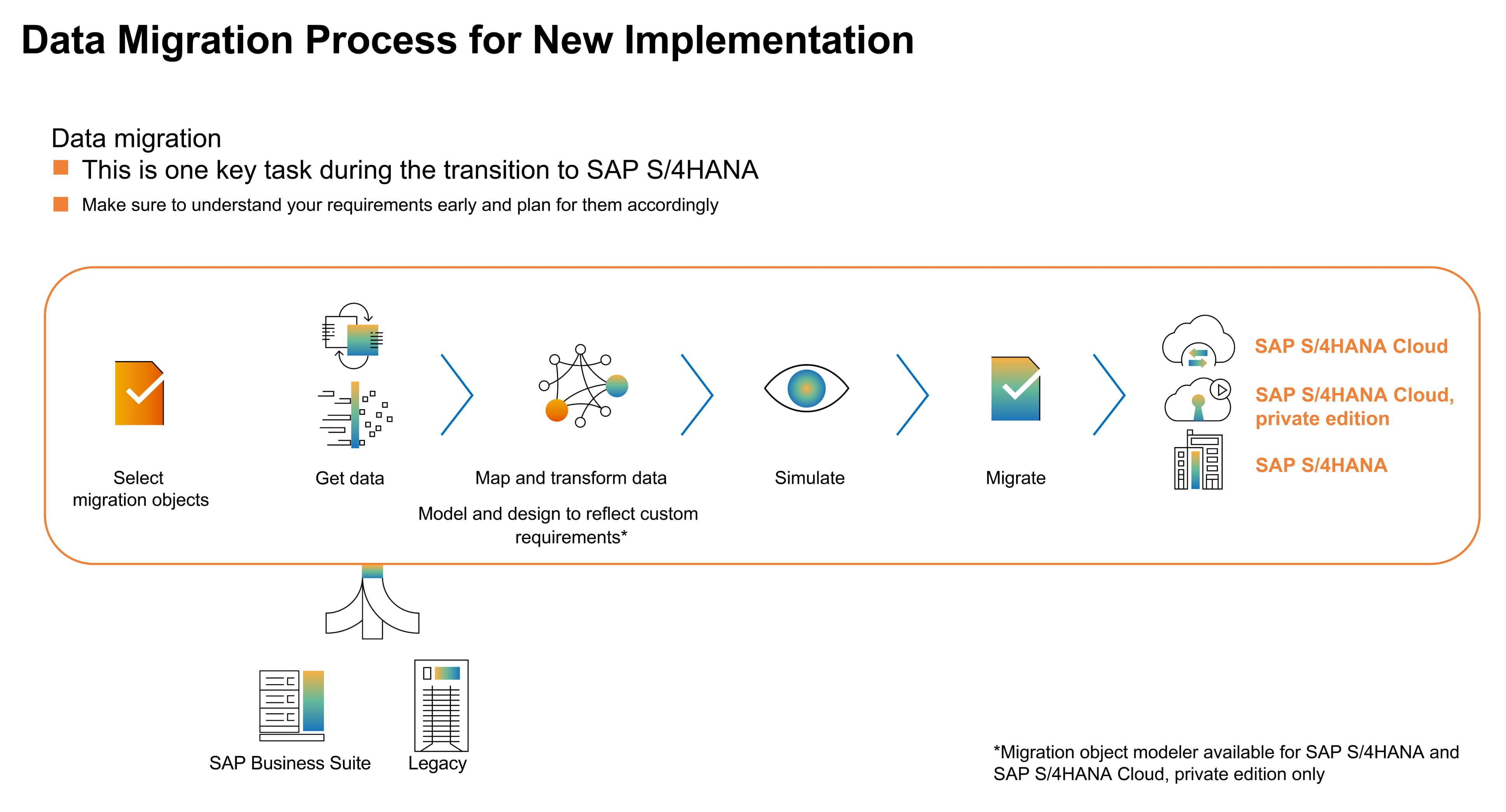
Data migration involves moving data from a source to a target system. SAP organizes business data into migration objects, each representing specific data types.

Importance of Data Migration : It's essential to assess what data to migrate, as manual methods can be slow and prone to errors. SAP S/4HANA DMC automates this process.

A Brief History and Evolution of Migration Tools : Over the past 50 years, SAP has created various migration tools in response to technology changes. Data was first moved from R/2 to R/3 with one-time programs, leading to the Legacy System Migration Workbench (LSMW), which lacks modern automation features.

SAP S/4 HANA Data Migration Cockpit

SAP S/4HANA Data Migration Cockpit (DMC) is SAP's tool for transferring data from legacy systems to SAP S/4HANA. It offers an integrated environment for extracting, transforming, and loading (ETL) data.

This tool is used in the following scenarios:

  • When companies adopt a new SAP S/4HANA implementation where historical data is not migrated.
  • When companies modernize their legacy system through system conversion (brownfield migration).
  • When companies optimize their business processes using selective data transition.
  • Understanding the data migration process is essential for selecting the right strategy and ensuring successful business transformation.


SAP S/4HANA Data Migration Cockpit (Legacy Transfer Migration Cockpit (LTMC))

  • Migration Cockpit, released in 2016 as the successor to LSMW, is a web-based tool introduced with SAP S/4HANA 1610. Transaction code LTMC simplifies the data migration process.
  • This release featured predefined migration objects, making it easier for new S/4HANA users, along with templates and mapping features. LTMC targets S/4HANA (on-prem and cloud).

Enhanced functionalities of LTMC:

  • Supports various data migration methods, including file-based and direct transfer
  • Compatible with multiple data formats, such as Excel
  • Features a modern, user-friendly interface
  • Data validation is performed before migration
  • Allows mass transfer of master data using a single Mass Transfer ID across systems, generated with each new project
  • A version of LTMC has been available with the SAP Fiori App since the SAP S/4HANA release.

Migration Approach

Staging Tables Approach

  • A staging table is a temporary database table that holds data to be migrated from the source system. It resides in the SAP S/4HANA DMC, and users must select the data for migration into the staging table. There are two ways to use staging tables.
  • Users can use template files in XML or CSV formats.
  • Alternatively, users can choose SAP-delivered or third-party ETL tools. Some SAP ETL tools include:
  • SAP Data Services (DS) is for complex migrations, allowing data extraction and quality enhancement from SAP and non-SAP systems.
  • SAP Landscape Transformation (LT) is used for real-time data replication and transformation during mergers and system conversions.
  • SAP HANA Smart Data Integration (SDI) supports continuous data replication from multiple non-SAP sources to the target system’s structure.

Let us co-innovate together, Say hello

Get in touch