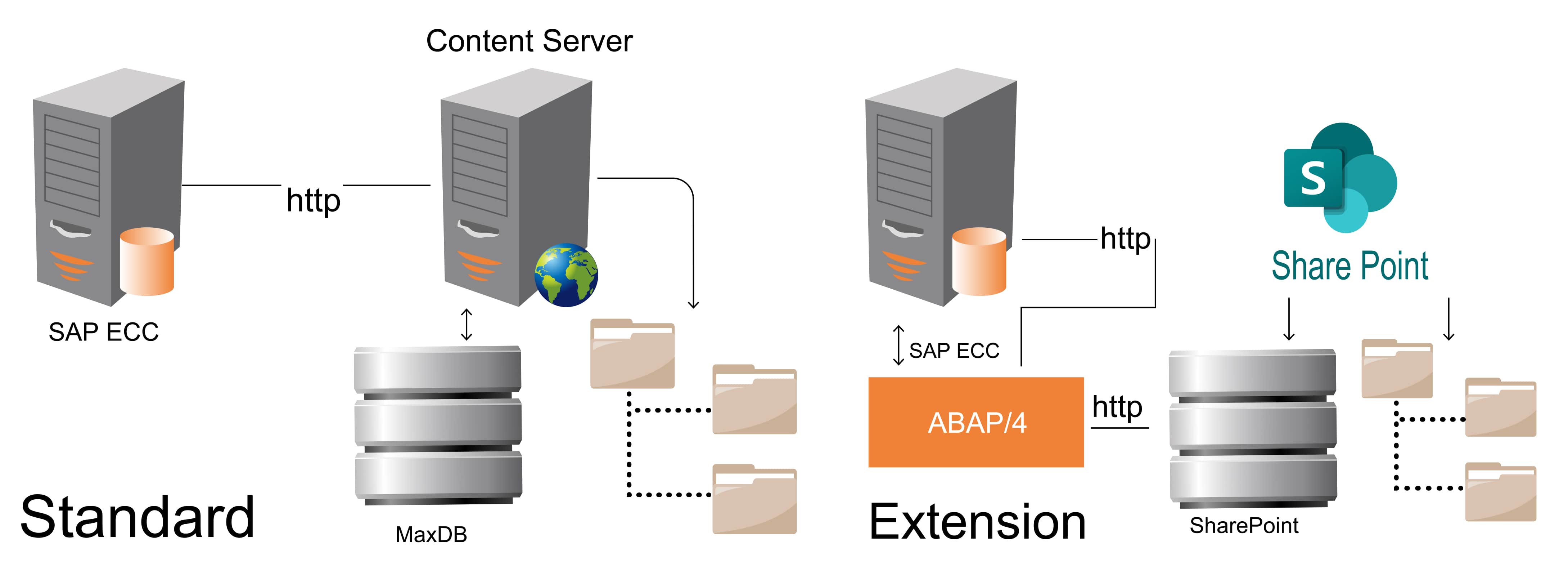
SAP DMS utilizes Microsoft SharePoint as its content repository, replacing SAP DB for storing business and workplace documents. Through GOS functionality, these documents are created as attachments from standard transactions.
The Document Management Service (DMS) is an information management service from the Knowledge Provider (KPro) within the SAP Web Application Server. Its prominent role is to manage documents and document-like objects according to specific content models, as only DMS can modify document administration data and store it in the SAP database. KPro offers a technical infrastructure for application-independent information exchange within the SAP Web Application Server framework. Its main components are Logical, Physical, and Components. All files created in the external Content Server adhere to the same relationship model in SAP.
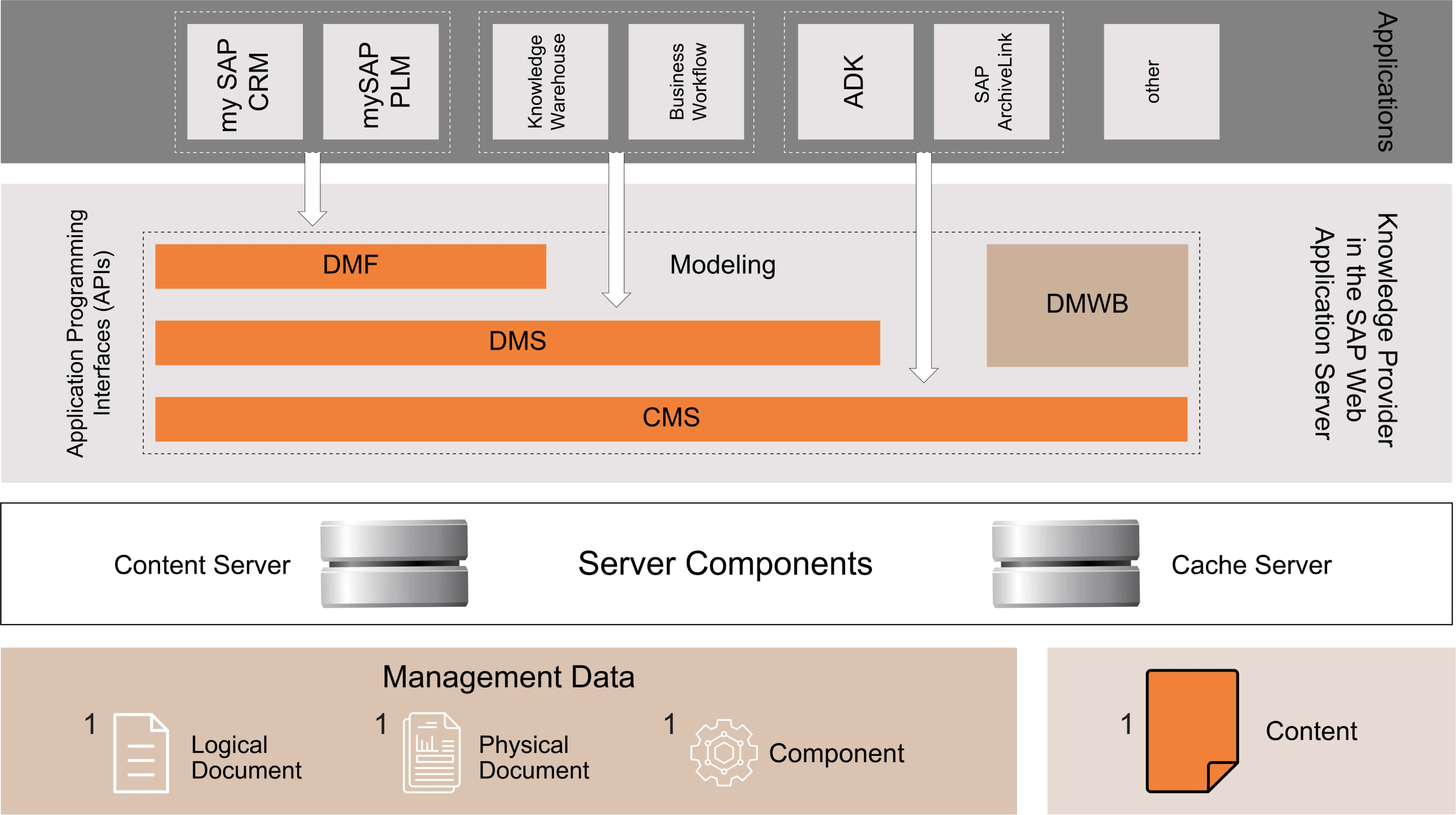
The DMS handles documents and objects according to specific application content models. It also allows you to update document management information and store document content on content servers.
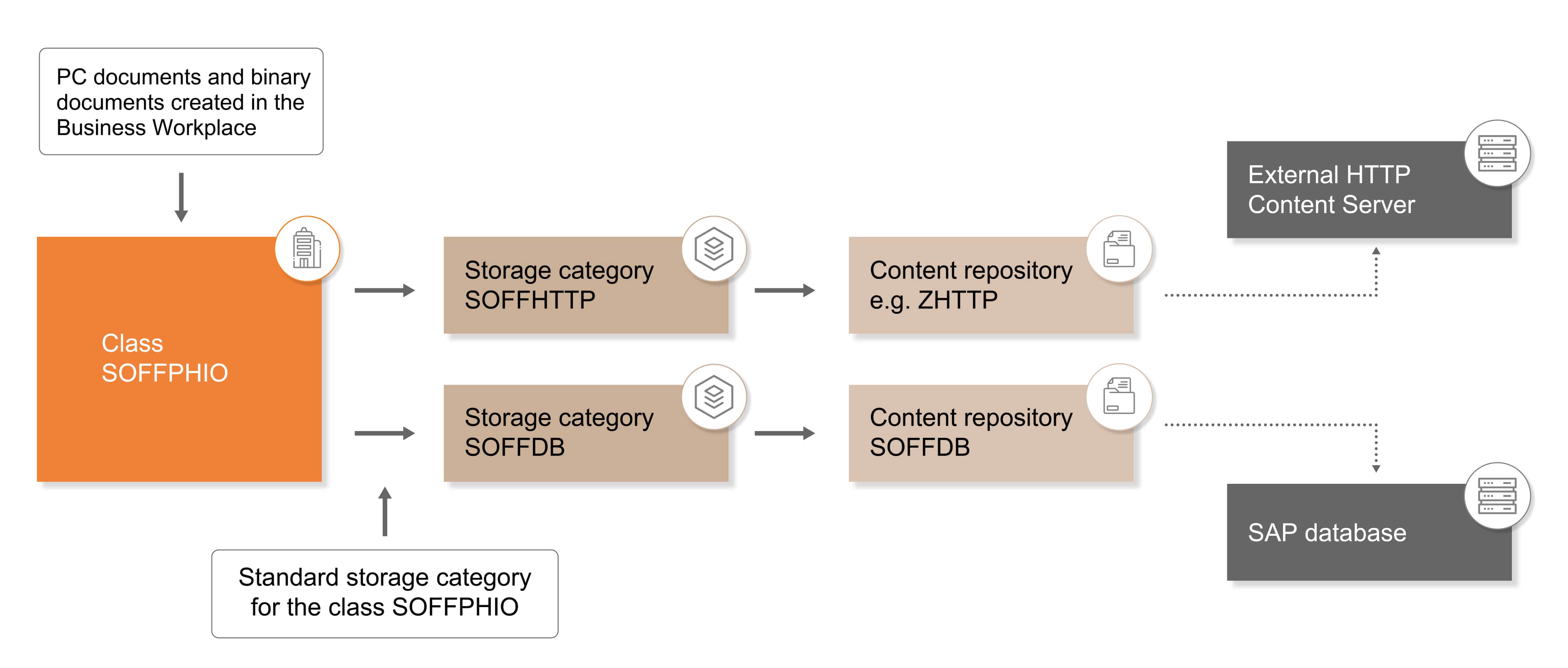
The custom ABAP HTTP handler plays a crucial role in the Document Management System (DMS) operations with SharePoint. It offers exceptional control over these operations, enhancing efficiency and performance. The Graph API's OAuth authentication ensures safe access to each HTTP request, providing a secure environment for DMS operations.
The solution leverages SAP's standard DMS architecture for document management without altering any existing SAP DMS functions, ensuring continued support and updates. It extends current functionalities, allowing users to integrate third-party storage solutions like SharePoint, Google Cloud, or Amazon S3. Customers with corporate firewalls can utilize Integration Suite and SAP Cloud Connector or BTP Destination Services for this extension.


The DMS extension activities are managed through standard GOS menu functions. No extra user training or knowledge is needed to utilize the DMS extension features, as the process for creating attachments is the same as the standard GOS functionality; no additional steps are required.